
Hyundai Accent (HC): Body Electrical System / Button Engine Start System
Contents:
- Components and Components Location
- Schematic Diagrams
- Description and Operation
- Start/Stop Button
- ESCL(Electronic Steering Column Lock)
Components and Components Location
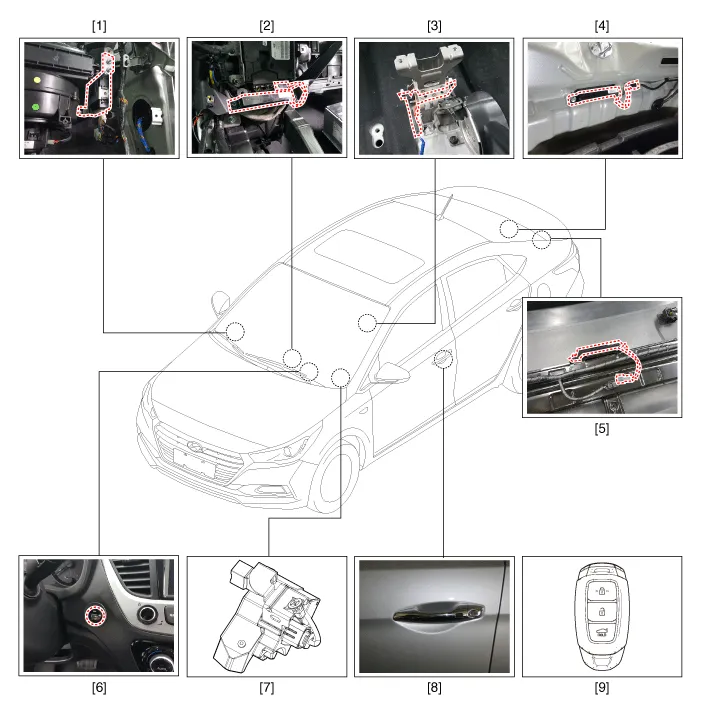
1. Smart key unit
2. Interior antenna 1
3. Interior antenna 2
4. Interior antenna 3
5. Bumper antenna
6. Buzzer
7. Electronic steering column lock (ESCL)
8. Door outside handle antenna
9. FOB Key
Schematic Diagrams
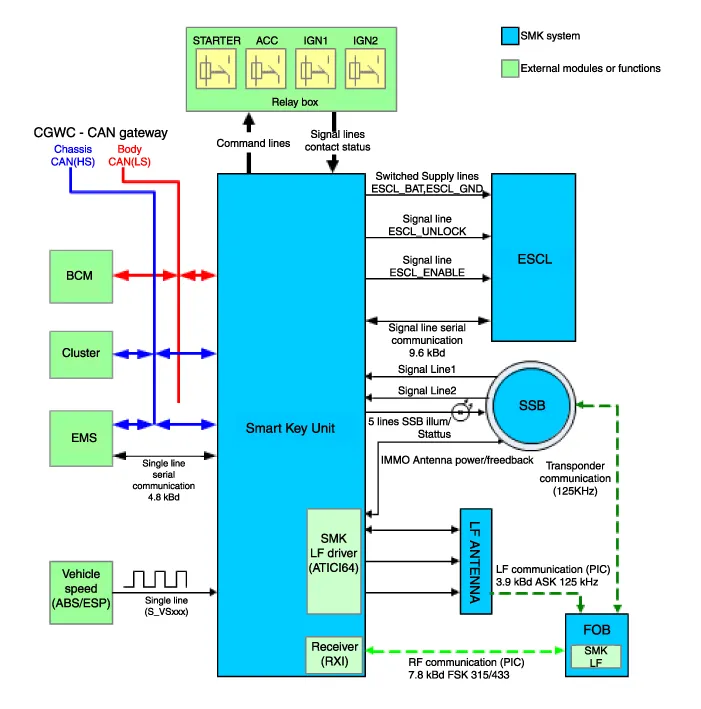
Description and Operation ➤
Start/Stop Button
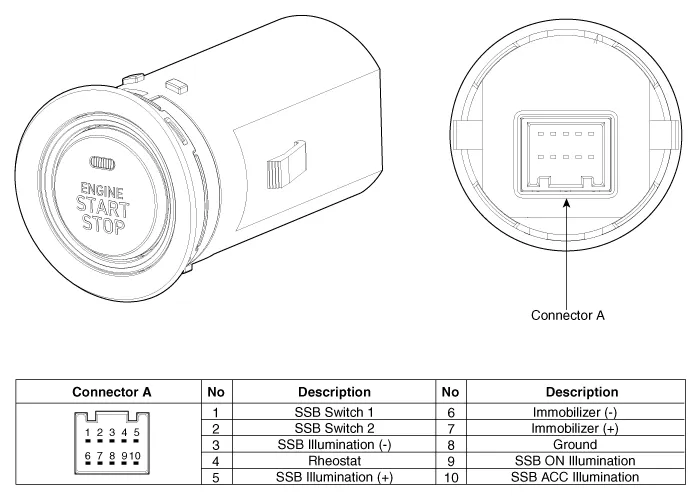
1.Disconnect the negative (-) battery terminal.
2.Remove the center facia panel(Refer to Body - "Crash Pad")
3.Remove the audio unit.(Refer to Audio - "Audio Unit")
4.Remove the start/stop button (A) after disengaging the mounting clip (B).
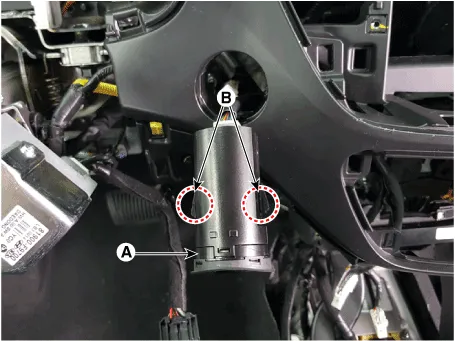
5.Disconnect the start/stop button connector (A).
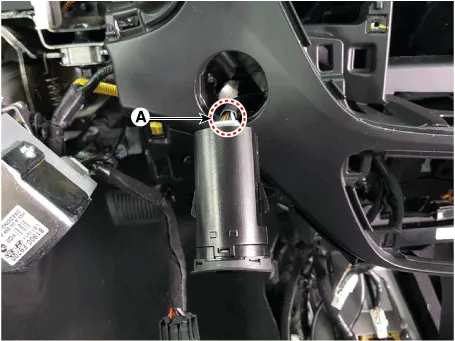
1.Install the start/stop button.
2.Install the crash pad lower panel.
3.Connect the negative (-) battery terminal.
ESCL(Electronic Steering Column Lock)
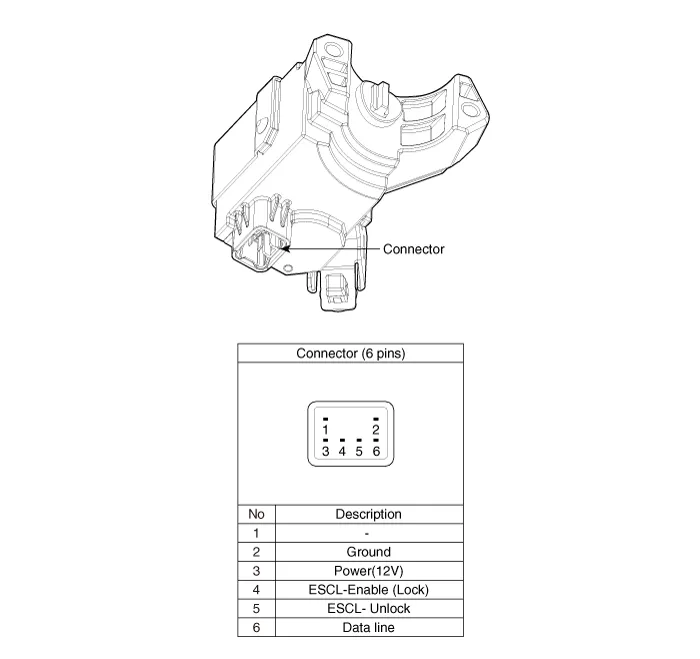
1.Disconnect the negative(-) battery terminal.
2.Remove the crash pad lower panel.(Refer to Body - "Crash Pad Lower Panel")
3.Remove the steering column upper and lower shrouds.(Refer to Body - "Steering Column Shroud Panel")
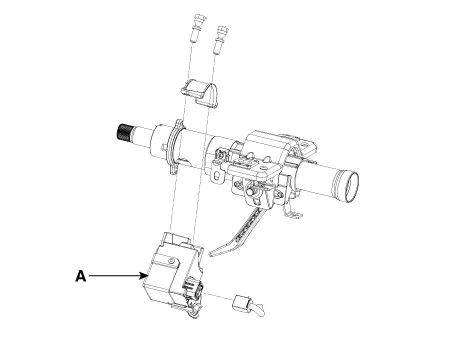
4.Disconnect the electronic steering column lock connector (A).
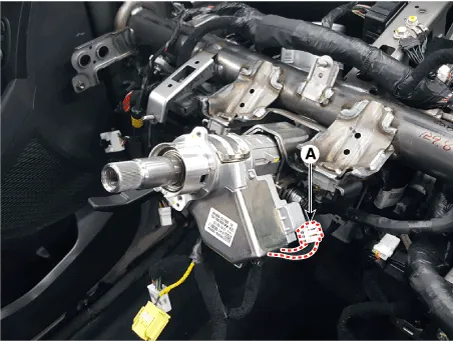
5.Remove the electronic steering column lock (A) after loosening the mounting bolts.
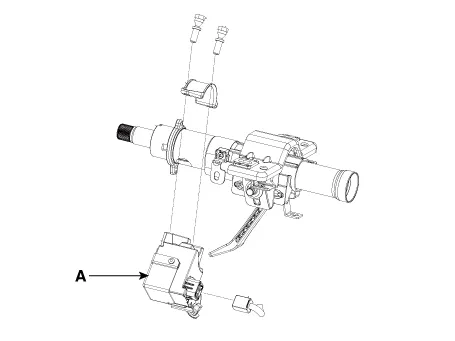
1.Install the electronic steering column lock (A).

Tightening torque :7.0 - 13.0 N.m (0.7 - 1.3 kgf.m, 5.0 - 9.4 lb.ft)
2.Install the steering column.
3.Install the crash pad lower panel.


Other information:
Hyundai Accent (HC) (2017 - 2022) Service Manual: Maintenance services
You should exercise the utmost care to prevent damage to your Hyundai Accent and injury to yourself whenever performing any maintenance or inspection procedures. Use proper tools, keep the engine compartment clean, and never work near moving parts with the engine running. Have your vehicle maintained and repaired by an authorized HYUNDAI dealer. An authorized HYUNDAI dealer meets HYUNDAI's high service quality standards and receives technical support from HYUNDAI in order to provide you with a high level of service satisfaction.
Contents
- Components and Components Location
- Schematic Diagrams
- Description and Operation
- Start/Stop Button
- ESCL(Electronic Steering Column Lock)
Categories
- Manuals Home
- Hyundai Accent Owners Manual
- Hyundai Accent Service Manual
- Questions & Answers
- Video Guides
- Useful Resources
- New on site
- Most important about car
- Privacy Policy

0.0064