
Hyundai Accent (HC): Emission Control System / Evaporative Emission Control System
Contents:
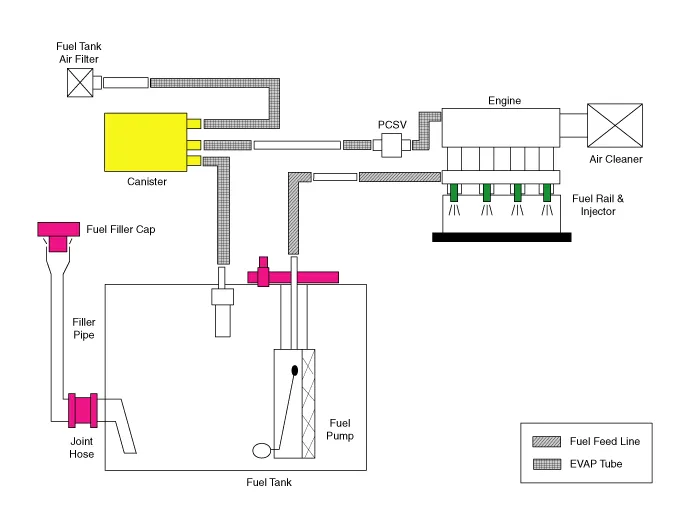
Schematic Diagrams
Repair procedures
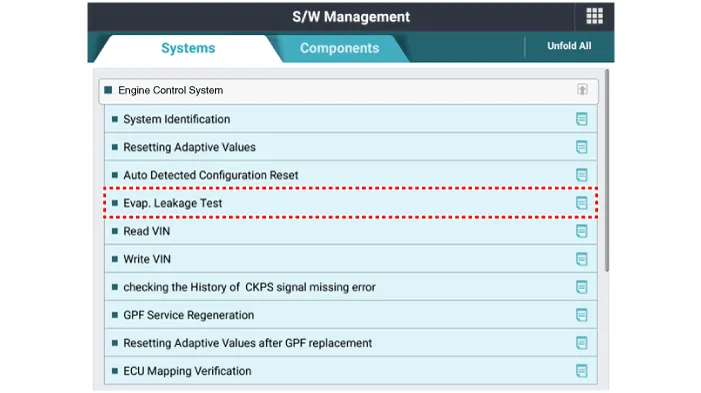
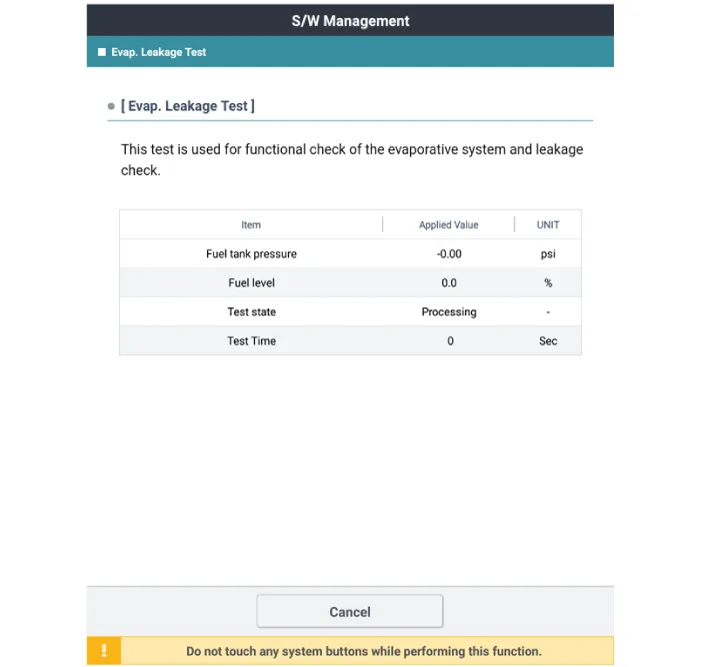
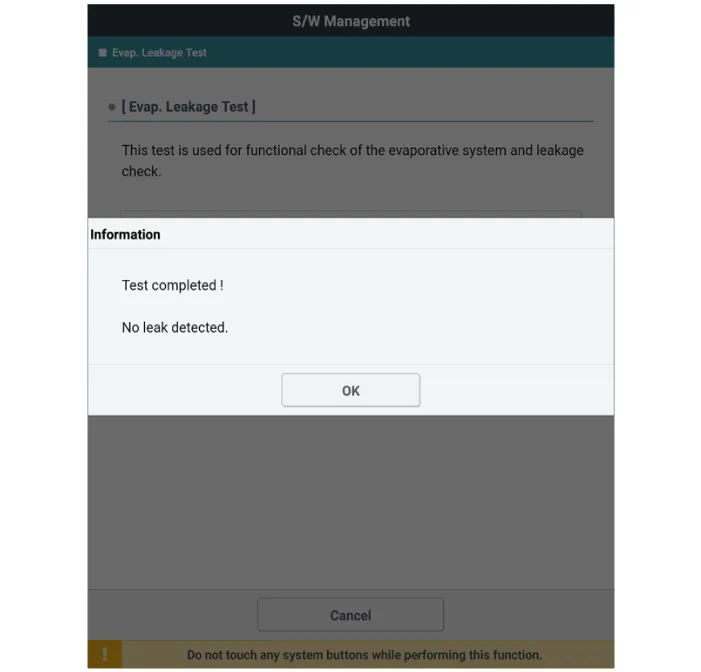
1.Select "Evap. Leakage Test".
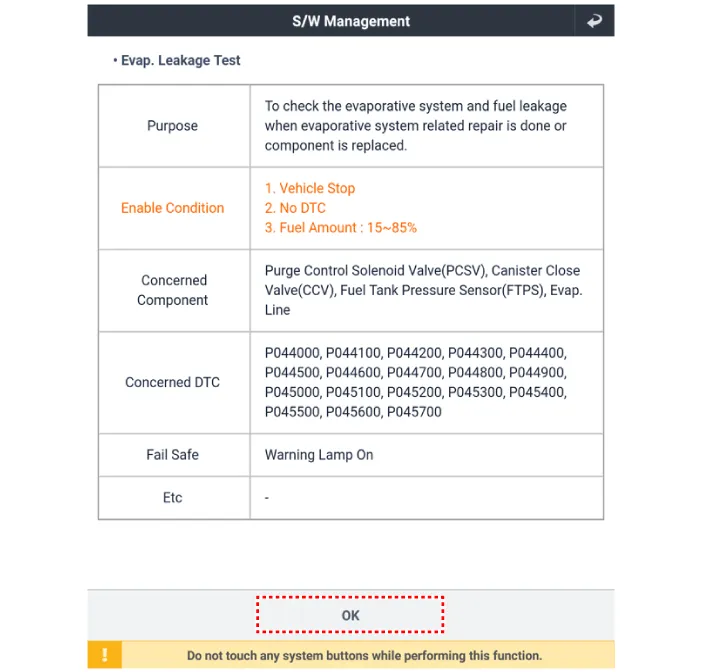
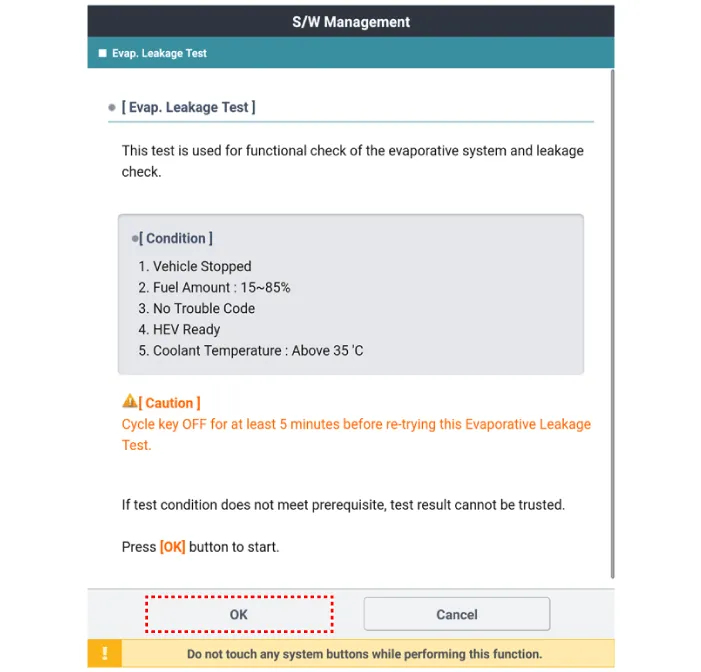
2.The test shall be conducted in accordance with GDS instructions.
Canister
1.Turn the ignition switch OFF and disconnect the battery negative (-) cable.
2.Lift the vehicle.
3.Disconnect the canister close velve extension connector (A).
4. Remove the canister protector (B).
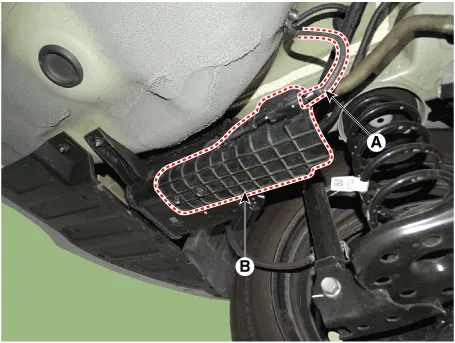
5.Disconnect the canister close velve connector (A).
6.Remove the ventilation hose (B).
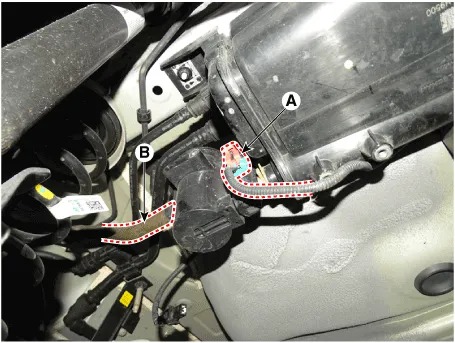
7.Remove the air filter (A).
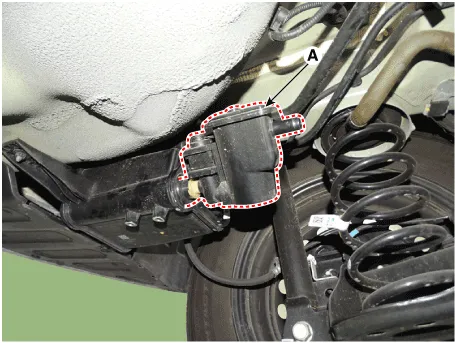
8.Disconnect the vapor hose quick-connector (A).
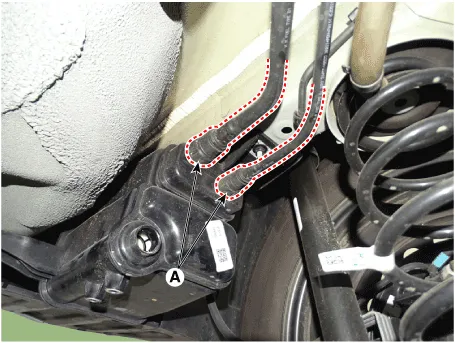
9.Remove the canister assembly (A) after loosening the bolt and nut.
Canister installation bolt :19.6 - 29.4 N.m (2.0 - 3.0 kgf.m, 14.5 - 21.7 lb-ft)
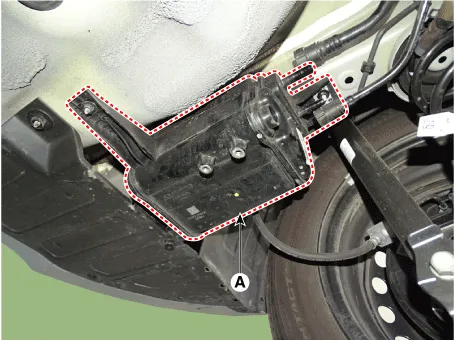
1.Check for the following items visually.
– Cracks or leakage of the canister
– Loose connection, distortion, or damage of the vapor hose/ tube
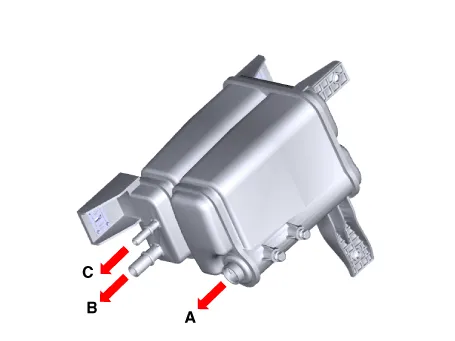
1.Install in the reverse order of removal.
Fuel Filler Cap
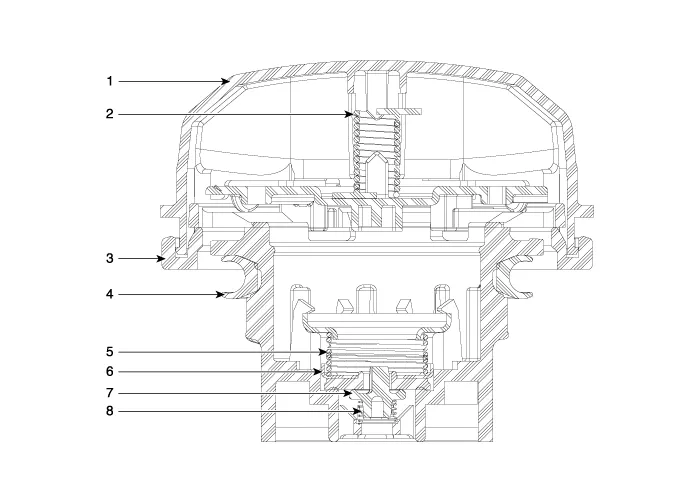
1. Cover
2. Torsion spring
3. Retainer
4. Gasket seal
5. Spring
6. Plate seal
7. Vacuum valve
8. Spring
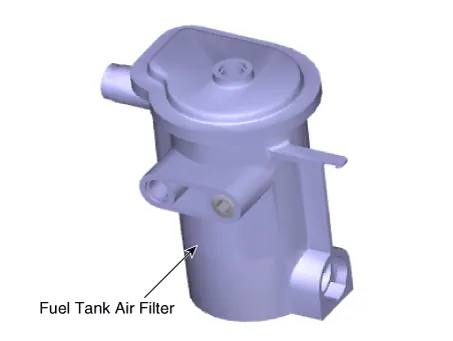
Fuel Tank Air Filter
1.Turn the ignition switch OFF and disconnect the battery negative (-) cable.
2.Lift the vehicle.
3.Disconnect the canister close velve extension connector (A).
4. Remove the canister protector (B).
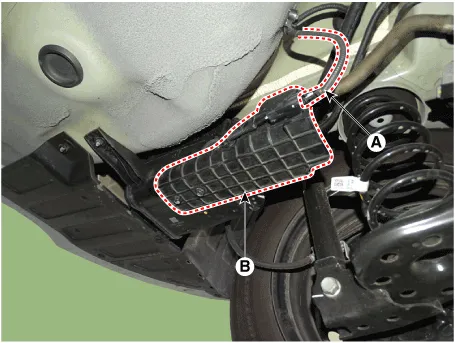
5.Disconnect the canister close velve connector (A).
6.Remove the ventilation hose (B).
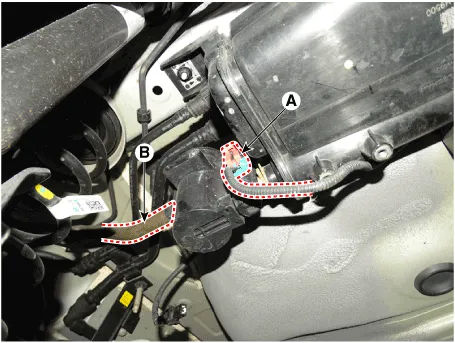
7.Remove the air filter (A).
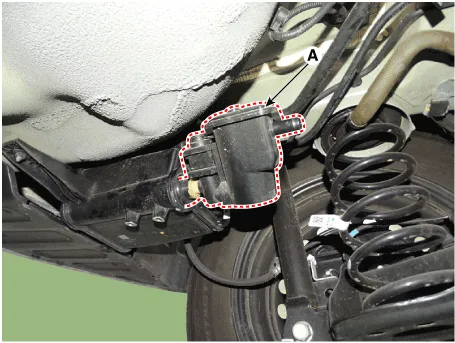
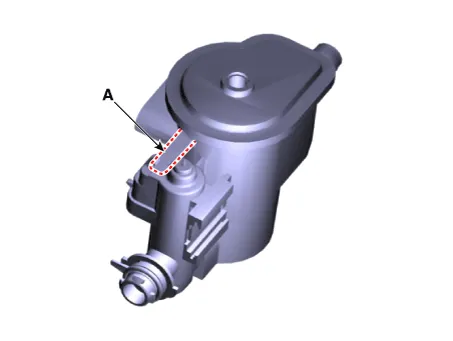
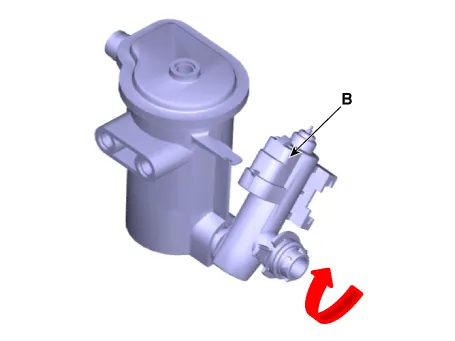
8.Release the lever (A), and then separate the canister close valve (B) from the fuel tank air filter after rotating it in the direction of the arrow in the figure.


Other information:
If your vehicle is equipped with a sunroof, you can slide or tilt your sunroof with the sunroof switch located on the overhead console. In your Hyundai Accent, always make sure the opening is clear before operating the sunroof or sunshade. The sunroof can only be operated when the ignition switch is in the ON position. The sunroof can be operated for approximately 30 seconds after the ignition switch is in the ACC or LOCK position.Some Hyundai Accent models use a Smart Key, which you can use to lock or unlock a door (and trunk) and start the engine. For best performance, keep the Smart Key close to you and avoid storing it near strong electromagnetic sources. 1. Door Lock 2. Door Unlock 3. Trunk Unlock 4. Panic Locking To lock your Hyundai Accent using the Smart Key system: 1.
Contents
Categories
- Manuals Home
- Hyundai Accent Owners Manual
- Hyundai Accent Service Manual
- Questions & Answers
- Video Guides
- Useful Resources
- New on site
- Most important about car
- Privacy Policy

0.0106