
Hyundai Accent (HC): Body (Interior and Exterior) / Hood
Contents:
Repair procedures
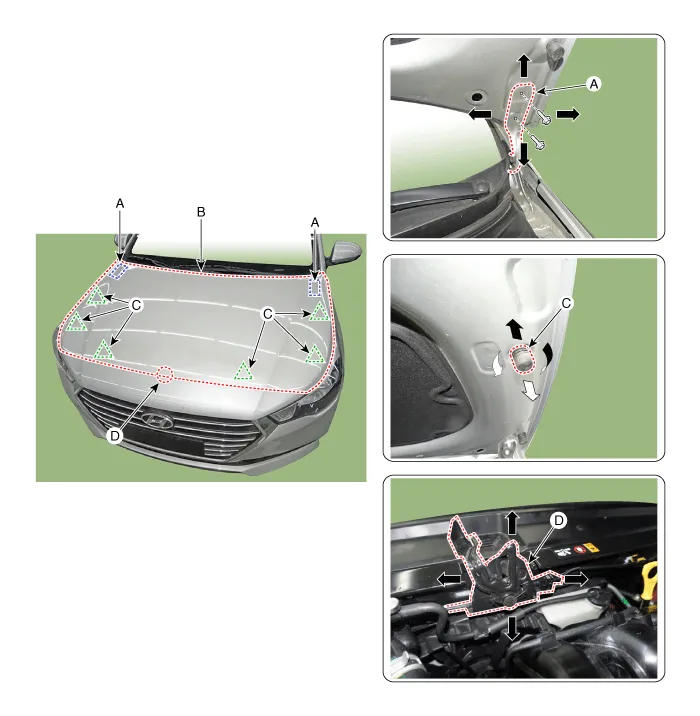
1.After loosening the hinge (A) mounting bolt, adjust the hood (B) by moving it up and down or from side to side and tighten the bolt.
2.Adjust the hood height by moving the hood overslam bumpers (C) up and down.
3.After loosening the hood latch (D) mounting bolts, adjust the latch by moving it up and down or from side to side.
Hood Assembly
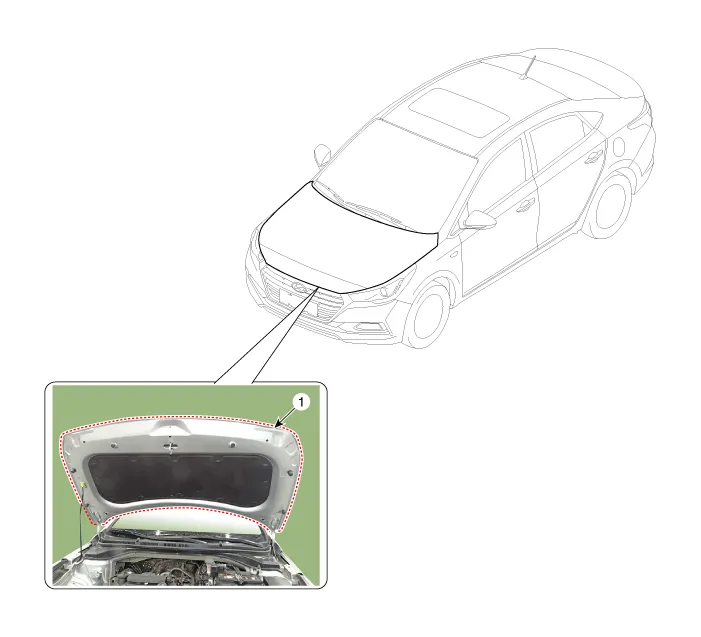
1. Hood assembly

• Be careful not to damage the hood and body.

• Removing or installing the hood requires an assistant.
• When removing the clips, use a clip remover.
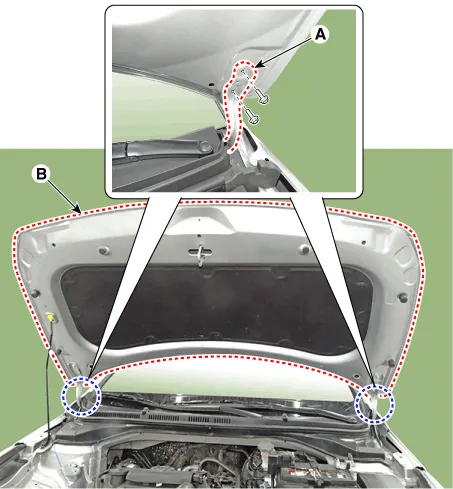
1.After loosening the hood hinge (A) mounting bolts, remove the hood assembly (B).
Tightening torque : 21.6 - 26.5 N.m (2.2 - 2.7 kgf.m, 15.9 - 19.5 lb-ft)
2.To install, reverse the removal procedure.

• Make sure the hood locks / unlocks and opens / closes properly.
• Adjust the hood alignment.
Hood Weatherstrip
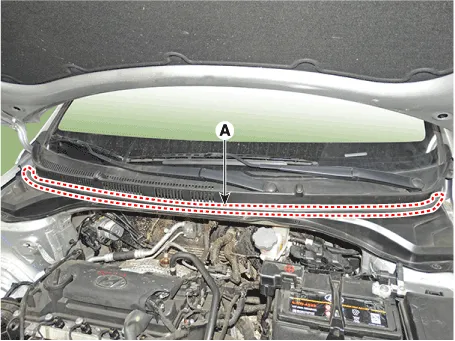
1.Remove the hood weatherstrip (A).

• Be careful not to scratch the hood weatherstrip.
2.To install, reverse the removal procedure.
Hood Latch Release Handle
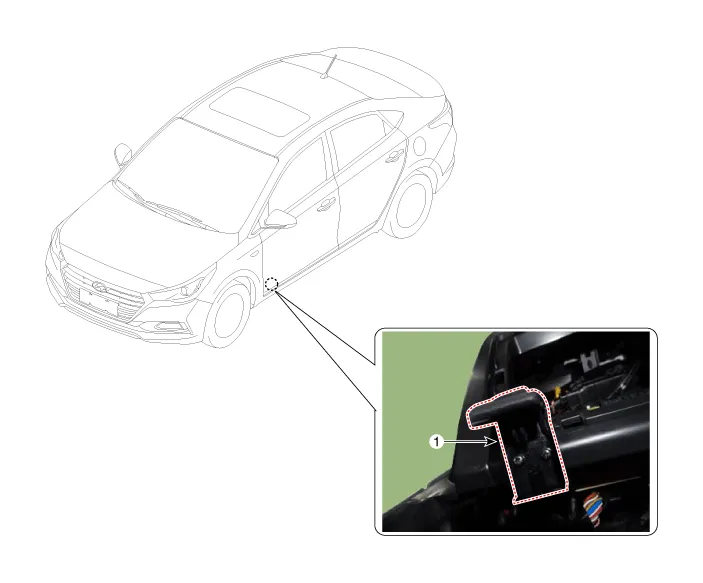
1. Hood latch release handle
1.Pull out the hood latch release handle.
2.Disconnect the hood latch release handle cable (A).
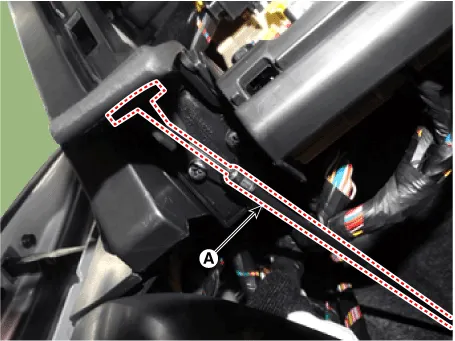
3.After loosening the mounting screws, then remove the hood latch release handle (A).
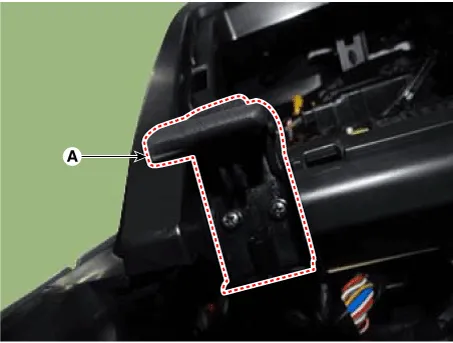
4.To install, reverse the removal procedure.

• Make sure the hood latch cable is connected properly.
• Make sure the hood locks / unlocks and opens / closes properly.
Hood Latch
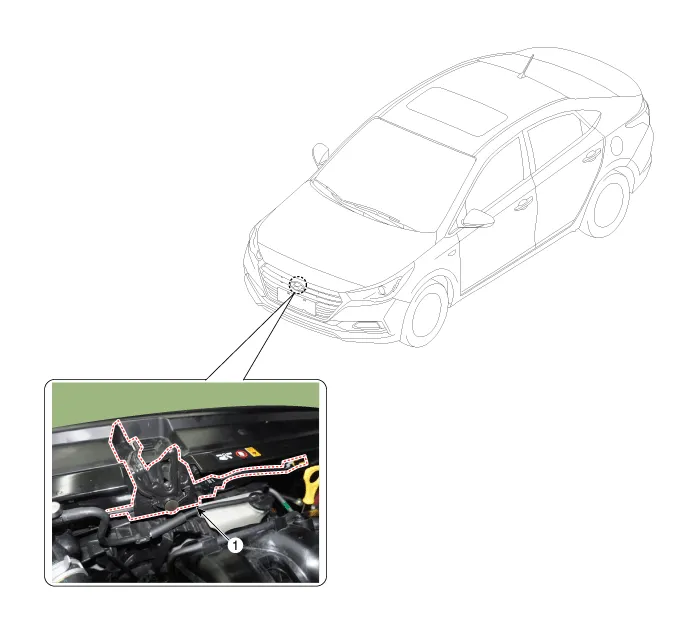
1. Hood latch assembly
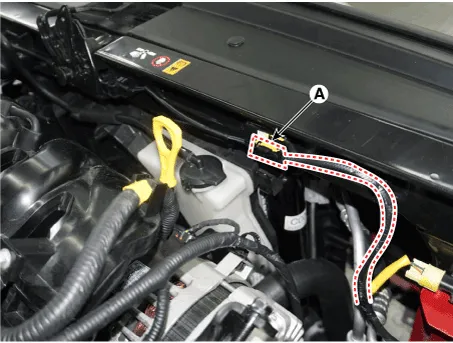
1.Disconnect the hood lower latch connector (A).
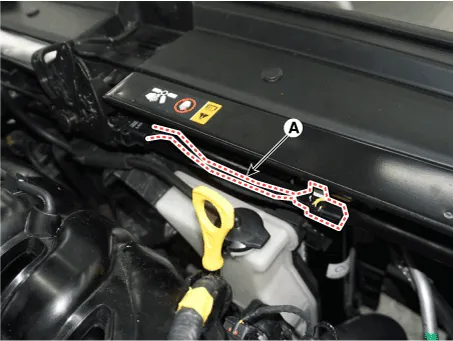
2.Disconnect the hood latch wiring (A).
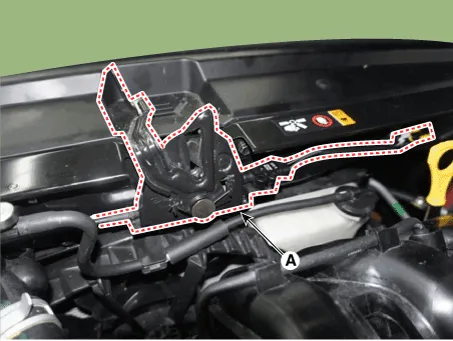
3.Loosen the mounting bolts and remove the hood lower latch assembly (A).
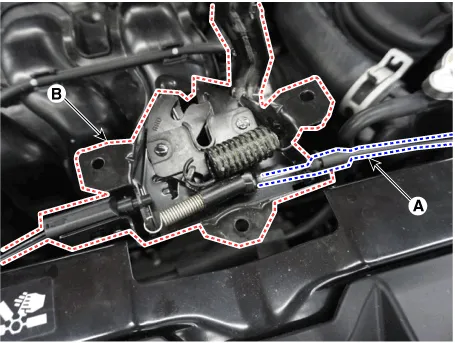
4.Disconnect the hood latch cable (A) and remove the hood latch (B).
5.To install, reverse removal procedure.

• Make sure the hood latch release cable is connected properly.
• Make sure the hood locks/unlocks and opens/closes properly.
• Adjust the latch alignment.
• Replace any damaged clips (or retainers or fasteners)


Other information:
Hyundai Accent (HC) (2017 - 2022) Service Manual: Integrated Thermal Management Module (ITM)
- Components [Intelligent Variable Transmission (IVT) System] 1. Integrated thermal management module (ITM)2 . Integrated thermal management module (ITM) O-ring3. Heater pipe B4. Heater water hose5. Heater pipe A6 . Heater pipe A gasket7 . Water inlet fitting8 . Water inlet fitting gasket [Manual Transaxle System] 1. Integrated thermal management module (ITM)2 .Information - Using Bluetooth® Wireless Technology(BT) Cellular Phone Bluetooth® Wireless Technology is a near-field wireless networking technology that uses the 2.4 GHz frequency to connect various devices within a certain distance wirelessly. In the Hyundai Accent, Bluetooth® Wireless Technology supports handsfree calling and (when compatible) media streaming.
Contents
Categories
- Manuals Home
- Hyundai Accent Owners Manual
- Hyundai Accent Service Manual
- Questions & Answers
- Video Guides
- Useful Resources
- New on site
- Most important about car
- Privacy Policy

0.0072